Augustine On the Sermon on the Mount Books 1 & 2

Augustine On the Sermon on the Mount Books 1 & 2 Commentary on Matthew 5-7 by Augustine of Hippo.
Download
Augustine-On-the-Sermon-on-the-Mount-Book-I-II.gbk.twm (1132 downloads )
Augustine-On-the-Sermon-on-the-Mount-Book-I-II.topx.zip (927 downloads )
More Commentaries and Works on the Sermon on the Mount
- Augustine On the Sermon on the Mount Books 1 & 2
- Luther Sermon on the Mount
- Pink – Sermon on the Mount
More Commentaries on Matthew
- Allen – Commentary on Matthew
- Augustine On the Sermon on the Mount Books 1 & 2
- Broadus Commentary on Matthew.cmt.twm
- Carr Sermons on Matthew.cmt.twm
- Carr Sermons on Matthew.cmt.twm
- Copeland Commentary on Matthew 24
- English, E. Schuyler – Studies In The Gospel According To Matthew
- Expositor’s Bible Vol 29 Matthew by Rev. J.M. Gibson
- Fortner, Don – Discovering Christ in Matthew
- Holwick Sermons on Matthew.cmt.twm
- Laurenson Messiah, the Prince, Commentary on Matthew
- Luther Sermon on the Mount
- Manton, Thomas – The Lord’s Prayer
- McGarvey – Four Fold Gospel and Acts (FFG)
- McGee From the Top of Mount of Olives (Mat 24-25)
Advertisement
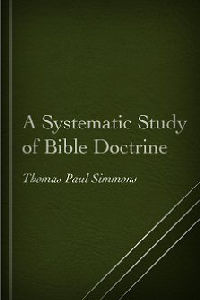
T.R. Simmons A Systematic Study of Bible Doctrine is a Bible Doctrines book of 43 chapters. The author is (according to the Introduction) "systematic, Calvinistic, Baptist, and premillennial". I am offering this work in various formats:
PDF: Simmons A Systematic Study of Bible Doctrine.pdf
Microsoft Word DOCX: Simmons A Systematic Study of Bible Doctrine.docx
OpenOffice ODT: Simmons A Systematic Study of Bible Doctrine.odt
EPUB: Simmons A Systematic Study of Bible Doctrine.epub
theWord: Simmons A Systematic Study of Bible Doctrine.twm
eSword: Simmons A Systematic Study of Bible Doctrine.topx
MySword: Simmons A Systematic Study of Bible Doctrine.mybible
theWord allows different installation modes. One installs like any normal program in Windows, but the Compact USB mode is like on a USB, with nothing changed on your computer. You run it off of a USB or just in a folder where you install it, and it is self sufficient there, not making changes in the rest of your computer. Read how to install theWord USB Compact mode.